EasyGlobe EasyGlobe

A Simple AI Blog Image Workflow for Consistent Article Visuals

AI
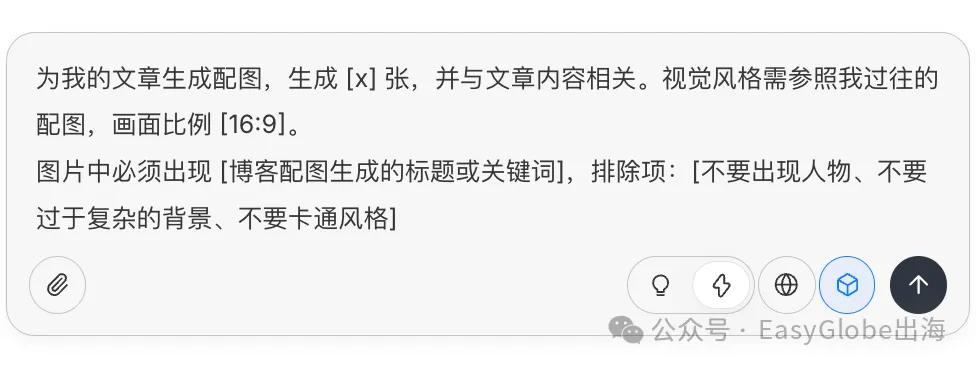
AI-generated blog image workflow using Nano Banana style prompting

Many people struggle with the same blog bottleneck: after the topic, outline, writing, editing, and formatting are done, the article still needs a useful image. A good blog image is not decoration. It affects the first impression, social previews, time on page, and whether the article feels finished.

This workflow is useful for content teams that publish often. For more content and growth topics, browse the EasyGlobe blog.

Prompt template for generating blog images with Nano Banana
Use the article theme and brand references together, not as separate instructions.

Why optimize blog images separately?

A blog image needs to match the topic, the reader, and the brand. If you only ask an image model for something “beautiful,” you often get generic visuals that could belong to any website. The better approach is to give the model the article context and a few brand references.

Step 1: finish the article first

Do not generate the final image before the article has a clear topic, angle, and section structure. If the article is long, use the summary, H2 outline, and the target paragraph instead of pasting everything into the image prompt.

Step 2: prepare brand reference images

  • Collect two to four previous blog images or brand visuals.
  • Decide the aspect ratio before prompting: 16:9, 4:3, or 1:1.
  • Clarify whether people, text, icons, or product UI should appear.
  • List anything the model should avoid, such as messy backgrounds or unreadable text.

Step 3: use a structured prompt

A practical prompt format is: Create a blog image for this topic: [topic]. Reader: [reader]. The image should express: [core concept]. Use the uploaded images as visual references and keep similar colors, composition density, and brand mood. Aspect ratio: [ratio]. Avoid: low clarity, misspelled text, strange hands, cluttered backgrounds, and unrelated icons.

Step 4: iterate on quality

If the result is close but not ready, adjust one thing at a time: reduce the number of elements, strengthen the main subject, simplify the background, remove text, or make the composition more suitable for a horizontal blog cover.

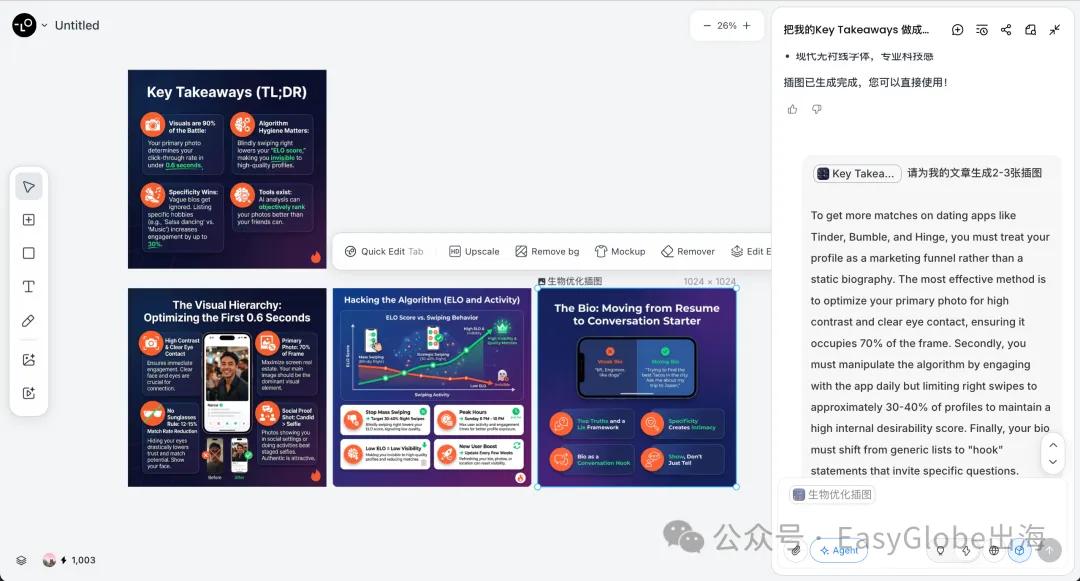
Nano Banana AI-generated blog image examples
Regenerate and refine until the image fits both topic and brand.

Publishing checklist

  • Does the image match the article topic?
  • Does it feel consistent with past brand visuals?
  • Are there obvious AI artifacts?
  • Is the file size reasonable for page speed?
  • Does the alt text describe the image instead of stuffing keywords?

What should you read next?

Continue with EasyGlobe blog, SEO optimization, and LLM optimization. For source checks, use Google AI for developers and Gemini help.

How should you apply this guide?

Do not treat this as a passive reading note. Turn the article into a small checklist: confirm search intent, define the source of truth, add internal links, check the canonical URL, review image alt text, and verify the production URL after publishing. That habit makes the article useful as part of an operating workflow rather than a one-time content asset.

FAQ

Do all blog images need to be AI-generated?

No. Product screenshots, real examples, hand-drawn diagrams, and data charts can be more persuasive. AI images are best for fast concept visuals and consistent covers.

Can AI blog images be used commercially?

Check the model provider terms and any source materials you uploaded. Do not assume every platform has the same commercial-use policy.

Should AI images include text?

Usually no. If the model makes unreadable text, generate the image without text and add the title later in a design tool or page component.